How Shared Computer Spaces in Independent Living Communities Help Seniors Get Comfortable with Technology
If you haven’t always kept up with technology, you’re not alone. Maybe you never had a reason to use a computer much. Or you used one at work, but not since retiring. Either way, the learning curve today can feel steeper than ever. And yet, more and more older adults are discovering something unexpected: tech isn’t just doable. It’s enjoyable.
The key? Having the right support. That’s where shared computer spaces inside independent living communities come in. They let you try things without the pressure. No need to buy a new device. No expectations to know what you’re doing. And if you get stuck? Someone’s nearby to help, no judgment.
If you’ve been a little curious about how these spaces actually work, stick around. This might be the small push you didn’t even realize you were waiting for.
Shared Computer Spaces Offer Easy Access Without Pressure
When a retirement community includes a shared computer room or tech hub, it’s not just about the devices. It’s about what they represent: access.
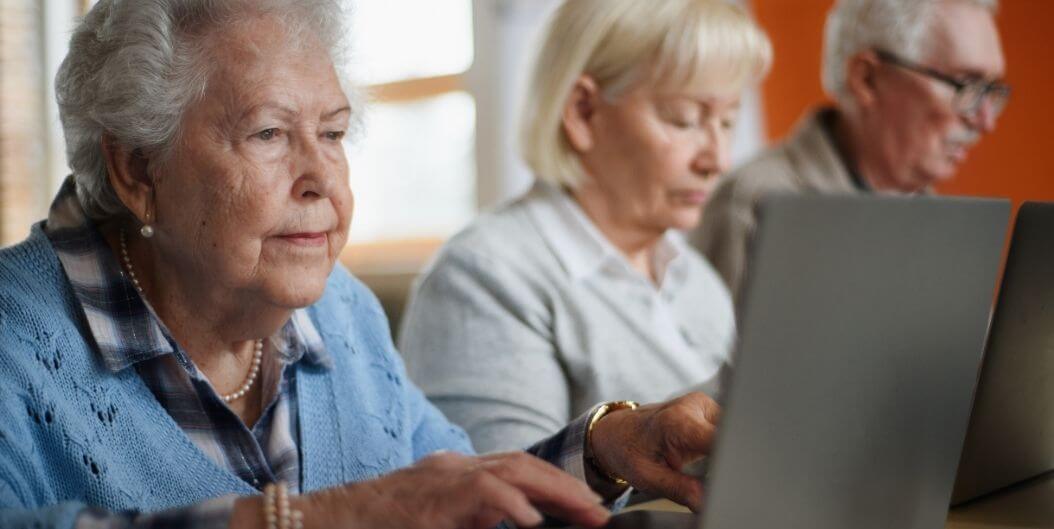
Most of these rooms are already set up with what you need: Big desktop monitors, high-contrast keyboards, printers that don’t make you feel like you need a tech degree to use, and simple software that actually makes sense. No need to bring your own gadgets or buy anything extra, it’s all here, and it’s built to be easy. You simply show up, sit down, and explore. There’s no complicated setup. No updates to install. No cables to untangle.
It also removes the mental hurdle of needing to be a “tech person.”
Want to check your email? Browse the news? Print out a boarding pass for an upcoming trip? You can do all that with just a few clicks. No appointment is needed. And because it’s shared, you’re probably not the only one there. Odds are, someone nearby has done it before, and they won’t think twice about leaning over to help if you’re stuck or just not sure what to click.
Technology Becomes Less Intimidating When It’s Shared
Trying something new is always easier when you don’t have to do it alone. That’s one of the biggest benefits of a shared computer space.
You might see someone checking the weather online or playing a crossword puzzle app. That simple exposure makes it less foreign. You don’t have to figure it all out on day one. Sometimes just watching someone else use it makes the whole thing feel way less overwhelming.
You also get to learn through conversation, not formal classes. One resident might ask how to open a photo email, while another offers a quick tip about enlarging the font. The learning happens naturally. It’s not structured. It’s social.
An environment like this takes the pressure off. No one’s expecting you to have it all figured out. You’re not behind. You’re just learning, like everyone else. And in a place like this, that’s completely okay.
Learning Tech Skills Can Start with Everyday Needs
Some people start exploring tech because of curiosity. But more often, it’s because of a practical need.
You want to check your bank account. Refill a prescription online. Access your resident portal. Look up directions. Or maybe your grandchild sends you a link to a birthday video, and you want to see it.
Shared computer rooms make it easy to meet these needs. You don’t have to ask someone outside the community for help or wait until a family visit. Everything you need is already here.
You can:
- Log into your healthcare portal to view upcoming appointments.
- Send a message to a friend using email or social media.
- Order a favorite book or gift online.
- Watch cooking videos, music performances, or travel tours.
It starts small. One day you’re reading the news online. A week later, you’re joining an online class about photography or history. Before long, you’re doing things you never thought you would.
Some Communities Offer Optional Tech Help or Classes
Not every resident wants a tech class, but for those who do, having access can be a game-changer.
Many independent living communities now offer optional sessions on everything from internet safety to setting up a smartphone. These aren’t lectures. They’re interactive, practical, and designed for people who didn’t grow up with these items.
Even better, some communities partner with local high schools or colleges to host intergenerational tech days. Students come in and help residents one-on-one with tablets, email setup, or learning to FaceTime. The energy is always positive, and the connection goes both ways.
And for residents who prefer to learn privately, there’s usually someone on staff available to provide help without judgment. Whether you need to reset a password or learn how to save a file, there’s support.
Connection Is the Biggest Benefit of Getting Online
Learning to use a computer or tablet isn’t really about the tech. It’s about staying connected.
Maybe your family’s a few states away. Or maybe you just want another way to stay close, especially during those times when seeing each other in person isn’t really on the table. Shared computer spaces give you tools to:
- Video call children and grandchildren
- Share photos or receive updates from loved ones
- Join interest-based groups on Facebook or YouTube
- Email a friend from down the hall or out-of-state
And it’s not just about staying in touch. The internet’s full of little corners built around the stuff you’re into, bridge, gardening, crosswords, memoir writing, whatever lights you up, there’s probably a group out there already talking about it.
That kind of access matters. Especially if you’re living alone. Because isolation doesn’t always show up loud, it creeps in quietly. But when getting online feels easy and welcoming, it gives you one more way to stay connected. To people, to interests, to a sense of yourself.
Want Comfort and Connectivity in Retirement? Visit Adante Independent Living and Enjoy Easy Tech Access
At Adante Independent Living, we’ve made tech less intimidating. No complicated setups. No need to figure it all out on your own. Just a shared space with big screens, simple layouts, and one-on-one help if you want it.
Residents use it for all kinds of things, staying in touch with family, browsing hobbies, and learning something new without having to ask twice. Whether you’re printing out a recipe or sending your first email to the grandkids, the vibe here is the same: calm, friendly, zero pressure.
You don’t need to be great with tech. You just need to be willing to try. That’s it.
Schedule a tour and come visit Adante Independent Living. See the space. Sit down at a computer. You’ll get why this isn’t just about staying connected, it’s about making it easier to stay with you.